Classification Datasets
Open in Colab · Download notebook
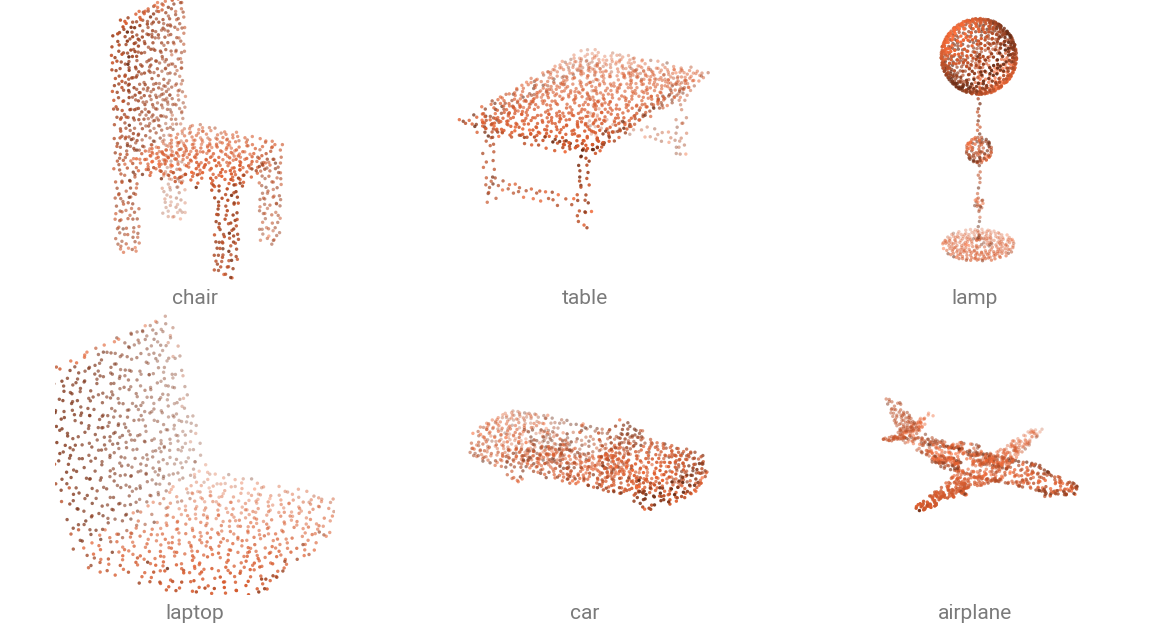
Classification datasets hold one object per sample: a few thousand points and one class. Every dataset returns a single-sample dict and caches a processed copy on disk in their processed directory.
| Dataset | Classes | Test samples | Download |
|---|---|---|---|
ModelNet10 |
10 | 908 | automatic |
ModelNet40 |
40 | 2 468 | automatic |
ModelNet40Hdf5 |
40 | 2 468 | automatic |
ModelNetNormalResampled |
10 or 40 | 2 468 | automatic |
ScanObjectNN |
15 | 581 | automatic |
Load a dataset
Provide the data directory containing the datasets, here we are using the environment variable TORCH_POINTCLOUD_DATA_DIR to point to this data directory. If you don't have the dataset locally in this directory, use download=True to download it.
Once downloaded in the raw directory, the dataset is automatically preprocessed in the processed directory.
data/
├── ModelNet40/
│   ├── raw/
│   │   ├── airplane/
│   │   ├── bathtub/
│   │   └── ...
│   └── processed/
│       ├── train.pt
│       └── test.pt
└── ...
from torch_pointcloud.datasets import ModelNet40
from torch_pointcloud.config import DATA_DIR

dataset = ModelNet40(root=DATA_DIR, train=False, download=True)
print(f"Samples: {len(dataset)}")
print({k: tuple(v.shape) for k, v in dataset[0].items()})
You can use force_process=True or force_download=True to redo either step, and num_workers to parallelize the processing.
Pick a ModelNet variant
Four ModelNet datasets differ in their preprocessing. The original release ships triangle meshes, so the points are sampled from the faces, and that step depends on the random seed. A published score is then hard to reproduce exactly -- as it depends on that random seed. Other datasets already include preprocessed point clouds to avoid that issue.
| Loader | Sample | When to use |
|---|---|---|
ModelNet10 / ModelNet40 |
pos, face, label |
you want the raw meshes and sample points yourself |
ModelNet40Hdf5 |
pos, normal, label |
you want the PointNet-era 2048-point HDF5 release |
ModelNetNormalResampled |
pos \((10000, 3)\), normal, label |
you want to benchmark your model |
In Practice
In practice, you can use the original ModelNet10 or ModelNet40 dataset and sample the points yourself. You will have more flexibility in the preprocessing steps, sampling methods, number of points, etc.
The ModelNetNormalResampled is mostly used for benchmarking purposes as many published papers used this already preprocessed dataset.
ModelNet10 and ModelNet40 ship triangle meshes, so sample a point cloud from the faces first:
import torch_pointcloud.transforms as T
from torch_pointcloud.datasets import ModelNet40
from torch_pointcloud.config import DATA_DIR

transform = T.Compose([
    T.RandomSampleFaceVertices(
        keys="pos",
        face_key="face",
        normal_key="normal",
        num_samples=1024,
    ),
    T.Rescale(keys="pos", method="centroid"),
])

dataset = ModelNet40(
    root=DATA_DIR,
    train=False,
    download=True,
    transform=transform,
)
ModelNetNormalResampled is the 10 000-point resampled release most published checkpoints were evaluated on. Pair it with info["transform"], which subsamples to the point budget the checkpoint expects:
import torch_pointcloud as tp
from torch_pointcloud.datasets import ModelNetNormalResampled
from torch_pointcloud.config import DATA_DIR

# Load the pretrained model
model, info = tp.create_model(
    "pointnet2-ssg.modelnet40.xu-yan",
    task="classification",
    pretrained=True,
    return_info=True,
)

# Pass the associated transform to the dataset
dataset = ModelNetNormalResampled(
    root=DATA_DIR,
    variant="40",
    train=False,
    transform=info["transform"],
)
Real scans with ScanObjectNN
ScanObjectNN crops its objects out of indoor reconstructions, with clutter and missing surfaces, which makes it harder than ModelNet. The release ships several difficulty settings, selected with constructor arguments rather than by dataset name.
from torch_pointcloud.datasets import ScanObjectNN
from torch_pointcloud.config import DATA_DIR

scanobjectnn_easy = ScanObjectNN(root=DATA_DIR, train=False, download=True)

scanobjectnn_hardest = ScanObjectNN(
    root=DATA_DIR,
    train=False,
    background=True,
    variant="augmentedrot_scale75",
)
Match the variant to the checkpoint
Checkpoint names spell out which setting they were trained on: point-mae-base.scanobjectnn-objbg.yatian-pang, point-mamba-base.scanobjectnn-augmentedrot-scale75.dingkang-liang. Load the dataset with the same variant, or the score you get back will not be the published one.
Batch the samples
Batching uses the packed format. PointCloudDataLoader is a DataLoader whose collate_fn defaults to the packed collate: per-point tensors are concatenated into one tensor, and a batch index is built alongside them.
from torch_pointcloud.utils.data import PointCloudDataLoader
from torch_pointcloud.config import DATA_DIR

dataset = ScanObjectNN(
    root=DATA_DIR,
    train=False,
    download=True,
)

dataloader = PointCloudDataLoader(
    dataset,
    batch_size=32,
    shuffle=True,
    num_workers=6,
)

data = next(iter(dataloader))

print(f"Batch keys: {data.keys()}")
print(f"  pos.shape: {tuple(data['pos'].shape)}")
print(f"  batch.shape: {tuple(data['batch'].shape)}")
print(f"  label.shape: {tuple(data['label'].shape)}")
The per-point pos is concatenated into one packed tensor with a new batch index, while the object-level label is stacked to \((B,)\). To build the loader yourself, pass collate as the collate_fn of a plain torch.utils.data.DataLoader.
Class names
A dataset carries its class names in dataset.classes, and dataset.class_to_idx maps a name back to its index. A pretrained checkpoint carries its own head order in info["weights"]["classes"]. Read that one to decode its predictions.